History Repository
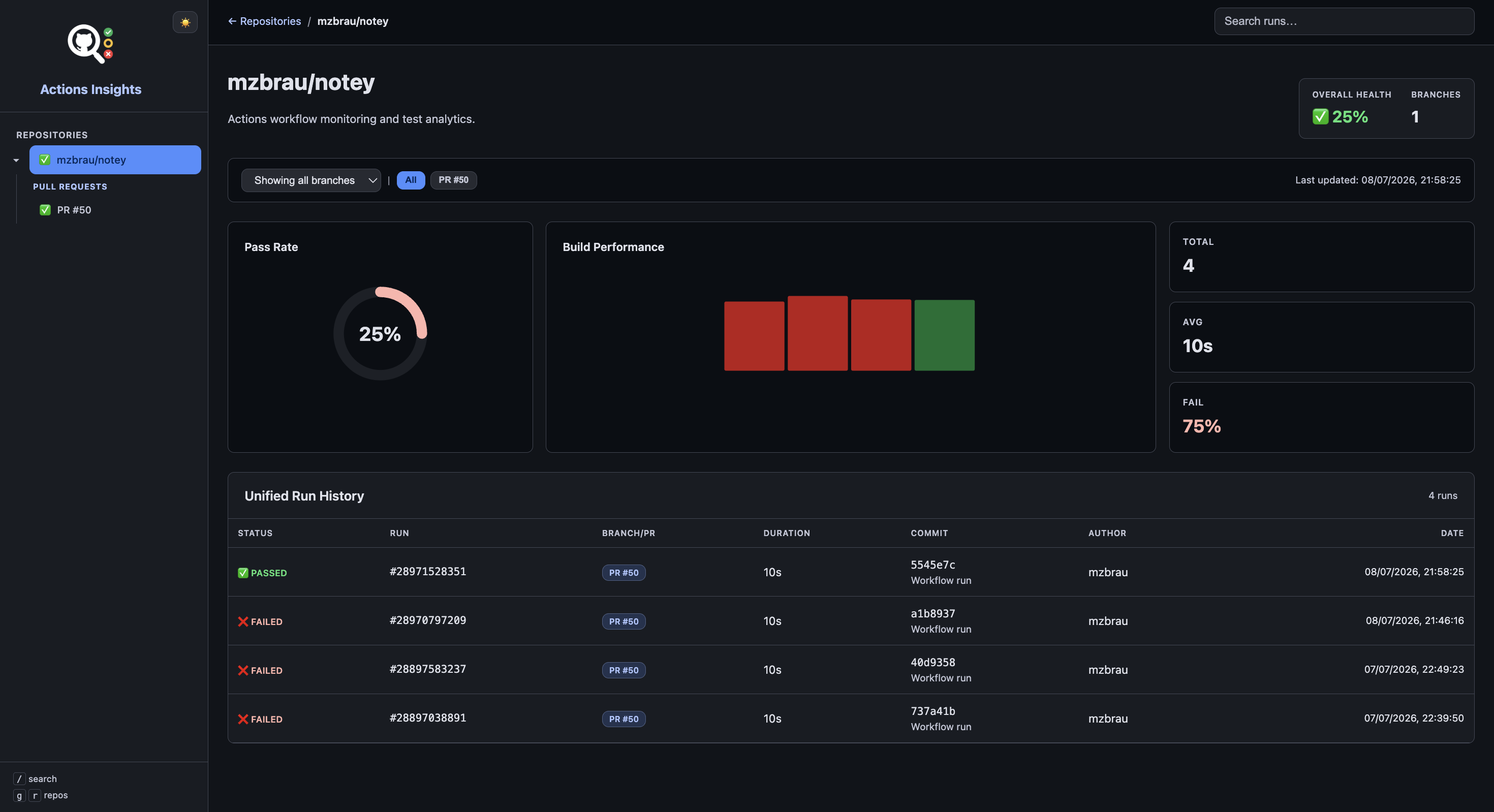
The history repository is an optional feature that pushes structured JSON test data to a separate git repository. A React dashboard hosted on GitHub Pages presents test results for all branches and repositories in a beautiful, responsive interface.
When to Enable
Enable the history repository when you need:
- Org-wide visibility across multiple repositories
- Persistent history that survives workflow artifact expiry
- A hosted dashboard on GitHub Pages for all branches
- Trend analysis and stability metrics over time
For single-repo setups with per-run investigation, the HTML artifact may be sufficient.
How It Works
- Actions Insights pushes structured JSON after each test run
- The history repository stores data under
data/ - A GitHub Actions workflow builds and deploys the React dashboard to GitHub Pages
Minimal Configuration
- uses: mzbrau/actions-insights@v1
  with:
    test-results: '**/*.trx'
    history-enabled: true
    history-repository: 'my-org/actions-insights-history'
    history-token: ${{ secrets.ACTIONS_INSIGHTS_HISTORY_TOKEN }}
On pull_request workflows, do not enable history unconditionally — fork PRs cannot access repository secrets. Guard with a same-repo check:
history-enabled: ${{ github.event_name != 'pull_request' || github.event.pull_request.head.repo.full_name == github.repository }}
history-repository: 'my-org/actions-insights-history'
history-token: ${{ secrets.ACTIONS_INSIGHTS_HISTORY_TOKEN }}
Setup Steps
The history repository requires a one-time setup:
- Deploy the history repository — run the init script or use the
ghextension - Configure secrets — create a token with write access
- Enable in your workflow — set
history-enabled: trueand the inputs above
Key Inputs
| Input | Default | Description |
|---|---|---|
history-enabled | false | Enable JSON publishing |
history-repository | '' | History repo (owner/repo) |
history-token | '' | Token with write access |
history-branch | main | Target branch |
history-path | data | Data root path |
Learn More
- History Repository Deployment — init script, GitHub Pages setup
- History Repository Configuration — full input reference
- Adding Repositories — multi-repo setup
- Import Historical Data — backfill from workflow artifacts
- Troubleshooting — common issues