PR Comments
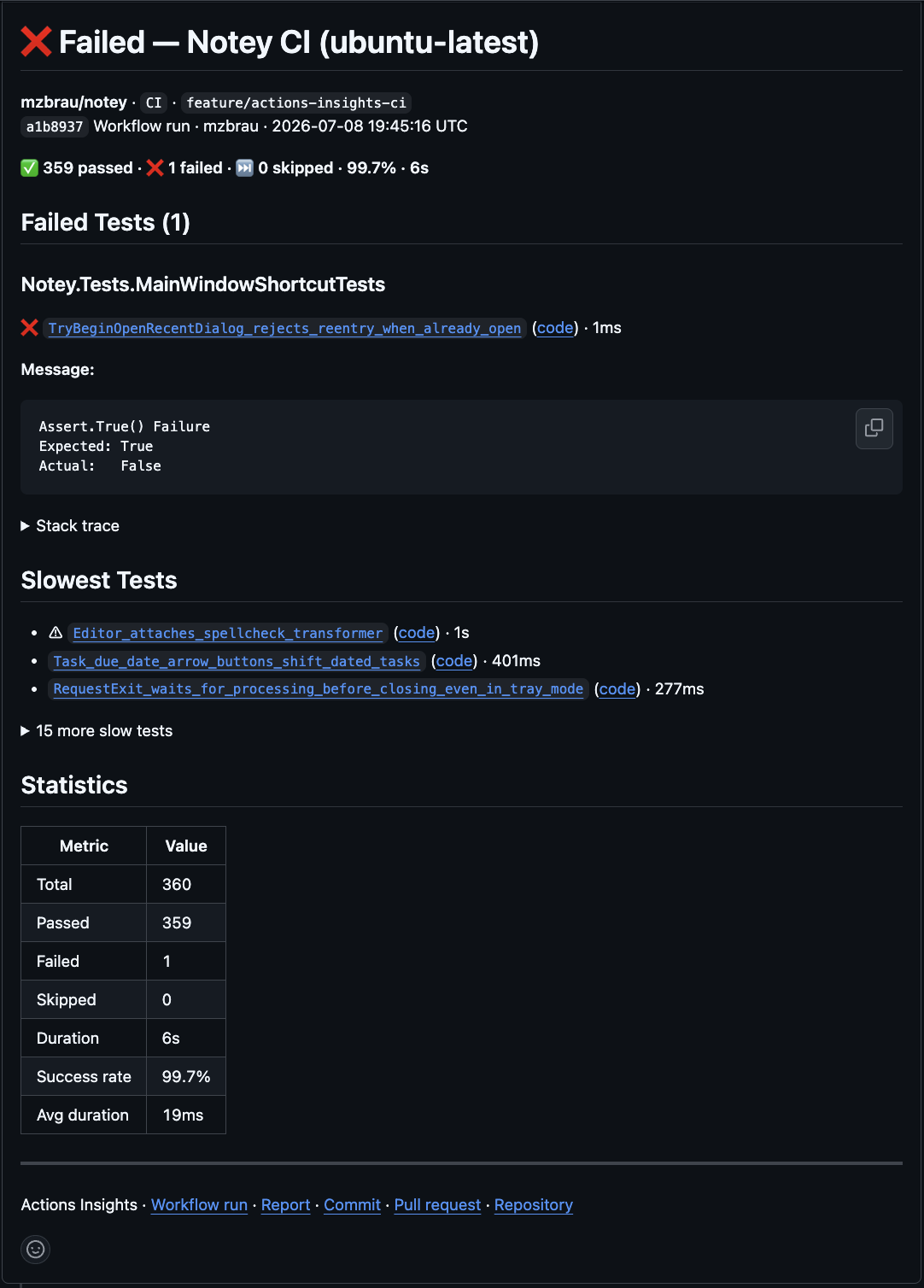
When a workflow runs on a pull request, Actions Insights posts a rich comment with test results — failure counts, stack traces, and slow tests — optimised for mobile review. When code coverage is enabled, the comment also includes a compact coverage line and per-project breakdown.
When there are failing tests, the comment includes a collapsible Instructions for an AI agent section. Expanding it reveals a copyable prompt with run context and failure details (messages, stack traces, stdout/stderr) so you can hand the investigation off to an AI coding agent.
When the history repository is enabled, the comment includes a Details link (at the top and in the footer) to the run in the history dashboard, and a Test history footer link to the repository dashboard. Each time the comment is updated, a Previous results section accumulates the timestamp and pass/fail/skip counts from prior runs.
When to Enable
Enable PR comments when your team reviews CI failures directly on pull requests. This is the primary experience for most teams.
Disable when running on main, scheduled workflows, or when you only need workflow summaries.
Configuration
PR comments are enabled by default (comment-mode: update).
- uses: mzbrau/actions-insights@v1
  with:
    test-results: '**/*.trx'
    comment-mode: update          # upsert a single comment per PR
    max-failed-tests-in-comment: 10
    max-stack-trace-lines: 25
    include-slowest-tests: 18
To disable:
with:
  comment-mode: off
Permissions
permissions:
  pull-requests: write
Key Inputs
| Input | Default | Description |
|---|---|---|
comment-mode | update | update (upsert) or off |
max-failed-tests-in-comment | 10 | Cap failures shown in the comment |
max-stack-trace-lines | 25 | Stack trace truncation |
include-slowest-tests | 18 | Slow test count (0 to disable) |
include-stdout / include-stderr | true | Include output in failure details |