Workflow Summary
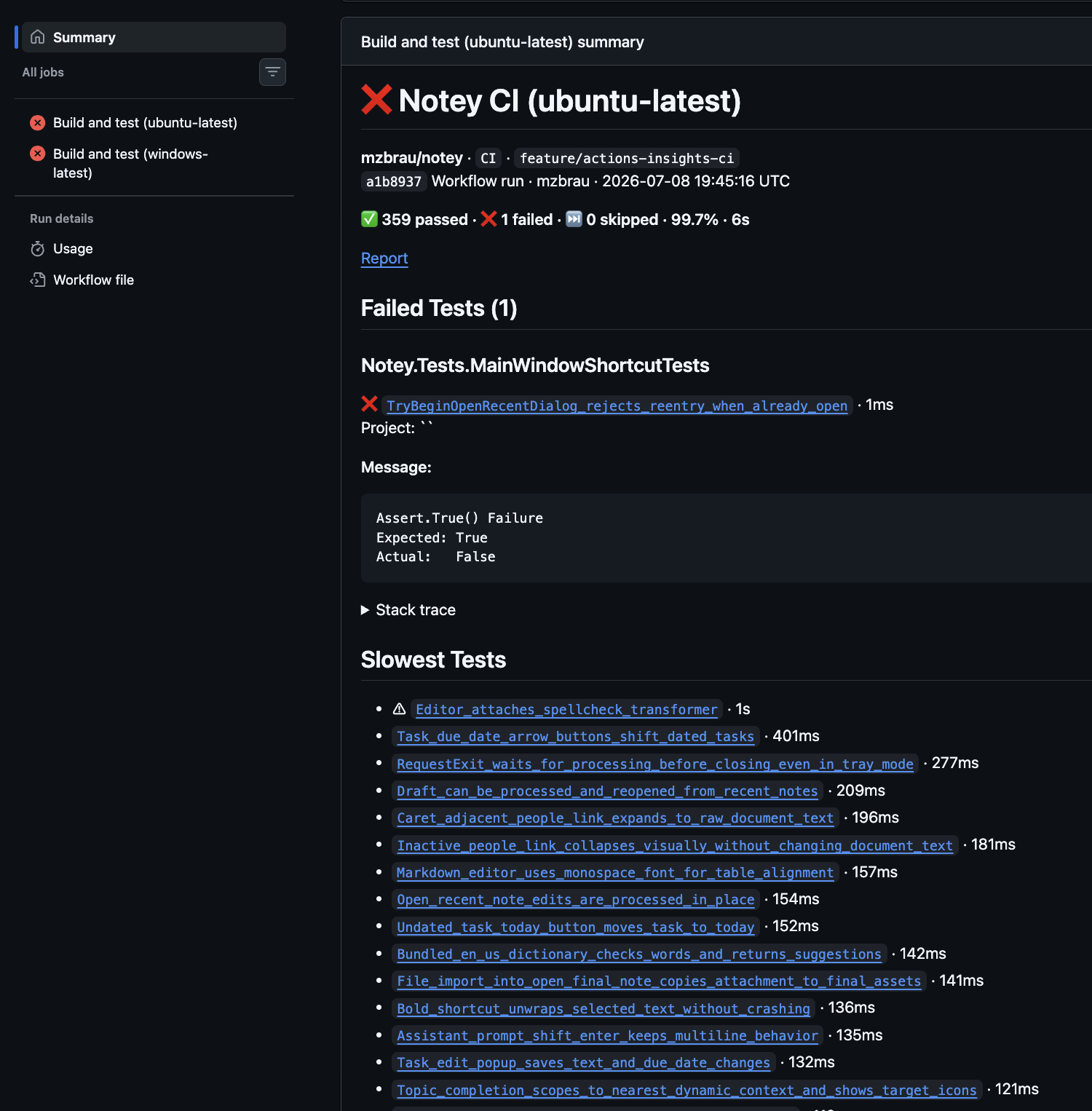
Actions Insights writes a TeamCity-style markdown table to the GitHub Actions job summary. This appears on the workflow run page and is ideal for desktop review.
When to Enable
Enable the workflow summary for every workflow where you want a quick overview on the run page — especially on main branch builds where PR comments are not available.
Configuration
The workflow summary is enabled by default (generate-job-summary: true).
- uses: mzbrau/actions-insights@v1
  with:
    test-results: '**/*.trx'
    generate-job-summary: true
    max-failed-tests-in-summary: 20
    include-slowest-tests: 18
To disable:
with:
  generate-job-summary: false
What It Includes
- Failed tests table with stack traces
- Collapsible Instructions for an AI agent section (when tests fail) with a copyable prompt for investigating failures
- Slowest tests
- Skipped tests
- Links to the workflow run and the HTML report artifact
Key Inputs
| Input | Default | Description |
|---|---|---|
generate-job-summary | true | Write job summary |
max-failed-tests-in-summary | 20 | Cap failures in the table |
include-slowest-tests | 18 | Slow test count |
No additional permissions beyond contents: read are required for the summary itself.